Tuesday, 6 April 2021
Repairing the best worst extractor lamp!
Tuesday, 23 March 2021
Ultimate Makers Case? Droneguard CS400
Thursday, 25 February 2021
New Rocketry CAD tools: FreeCAD Rocket Workbench
In my never ending quest to get more opensource stuff around rocketry going I posted over at the FreeCAD forum about a concept for a Rocketry themed workbench. It seemed like it would be a good fit and that it might be an interesting area for developers to work on. I explained how I'd often used Openrocket to design and simulate a rocket design and then, quite often, I found myself copying dimensions into FreeCAD or sometimes OpenSCAD to create 3D objects of nosecones, centring rings, fins and more. I suggested that automating some of this would be a good starting point, but that also the sky was the limit, ultimately it is *possible* to recreate something like Openrocket or Rocksim in FreeCAD, with the benefit then of any design is auto-magically in a CAD format for other techniques to be applied. FreeCAD already has a wealth of tools that can be leveraged at rocket parts, from 3D printing mesh tools, to CNC toolpath work, through snazzy computational fluid dynamics tools, FEA and more. Hell, there'ss even a glider workbench for designing gliding parachutes within the community so the end really is limitless!
What happened next was utterly brilliant and testimony to opensource culture! People got interested and one chap, Dave, (AKA DavesRocketShop ) got stuck in. Within a couple of weeks we now have a rocketry workbench released with some useful tools already up and running. Also there is a tantalising roadmap of exciting features to come.
The first release when installed as a workbench gives you some parametric tools to create rocket air-frame components. Nosecones in all the common geometries are all there, Haack, VK, Ogive, Parabolic series, Power series etc. Transitions are similar in choices and there are tools to create body tubes, centring rings and bulkheads. It's really straight forward to begin to assemble great parts that can be adorned and edited using the entire suite of tools FreeCAD has to offer. Fins, in the first release, are limited to trapezoidal designs but there are a wealth of parameters to play with and it's trivial to auto generate aerofoil geometries etc. The rocket workbench is already available via the addon manager which makes installation and updating a breeze and on the forum thread the mighty Dave is occasionally releasing manual install versions for those of us keen to try experimental features.
Dave is currently working on importing parts from the openrocket databases. This is really interesting as all the common manufacturers parts are in there, so if you want a particular Estes replacement nosecone, or to upscale one for some crazy project this will be but a click away! I'm most excited about that there is a plan to allow the workbench to import Openrocket, Rocksim and RASAero files, whilst that may be some way off it really opens up some astonishing opportunities for rocket designers. Also having got to grips with the technical drawing workbench in FreeCAD I am looking forward to being able to document my designs well, important if one day I go for L3 HPR certification.
Finally if you are new to FreeCAD but want to try FreeCAD I'm writing a reccurring series for Hackspace Magazine on FreeCAD and it started back in issue 37 here.
Sunday, 7 February 2021
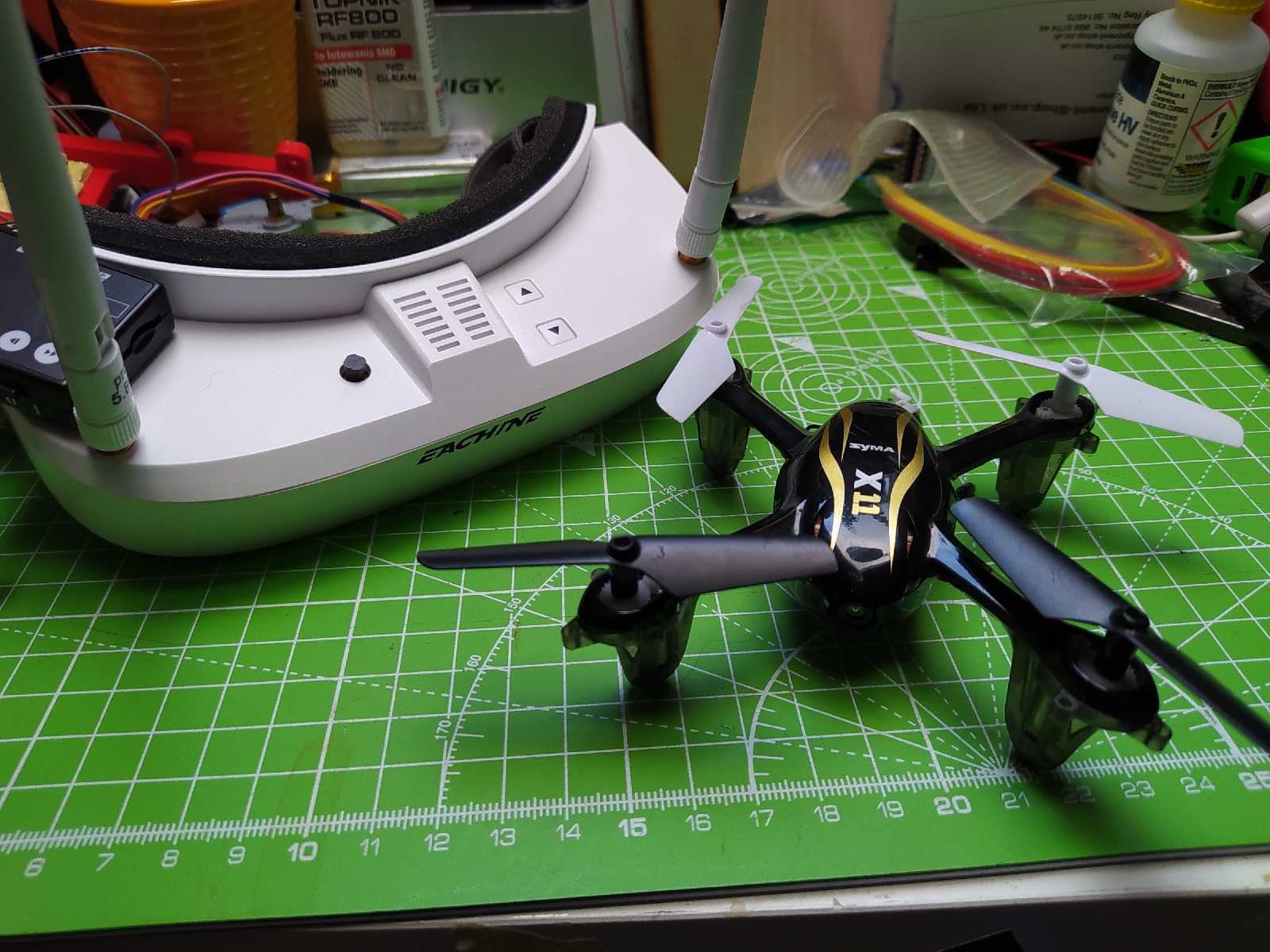
Cheap Small FPV Quadcopter Conversion
Thursday, 28 January 2021
My New Laptop; Starlabs Star Lite MkIII
I've owned heaps of laptops, probably over 20 if I sat down and wrote a list, and almost all of them have been 2nd hand. In fact I've only ever bought a couple of laptops new and, until this one, the Starlabs Mini Lite MkIII, I've never bought bought a new laptop with factory installed Linux. In fact Starlabs offered a list of Linux distributions that could be preinstalled. I've used lots of different distributions over the years but I've become a bit lazy with them and tend to just stick to Ubuntu. I know, it's a bit bloated, but I like the interface and stuff seems to just work for me.
So any company that's creating Linux laptops gets some attention from me but what really made me want to own one and support Starlabs is that they are pretty great in terms of repair and hacker friendliness. So for a start, opening the Star Lite doesn't void the one year warranty. HELL YEAH. Secondly they have made a point of making their products simple to work on and the only tool you need is a Phillips screwdriver. I love this stuff, it's important in terms of actually owning the things you own and it's important in terms of keeping hardware alive longer.
So to the Star Lite MKIII. It's great! It's small and super thin and has an 11" screen. I've always lent towards portables/UMPC and road warriors rather than larger desktop replacements so it's perfect for me. Specs wise, it's interesting, with a Pentium Silver N5000 processor that on paper doesn't look like the faster thing ever but paired with fast RAM and a blazingly fast star drive SSD, so far this machine absolutely zips along!
It's all aluminium chassis wise and super lightweight, yep it's definitely one of those laptops that falls into the "I'm checking my bag twice to see i it's actually in there". The keyboard is good, which I think as my daily driver for years has been an old Thinkpad X220 with arguably one of the best ever keyboards, is fine praise. The keys have a nice stroke length and the keyboard is back lit (with a couple of adjustable brightness levels) which is a feature I've wanted on a daily driver laptop for a while. The matt screen is also worthy of mention, it's a total joy! I find it much less fatiguing on the eyes than other screens.
So coming from a background of usually installing Linux on machines it's nice that seemingly everything works well on the Star Lite. I know that might sound odd, but I've usually had something on a Linux'd machine I've needed to sort. A small script to stop Bluetooth turning on at boot or perhaps the hardware keys for screen brightness have needed solving etc. So far on the Star Lite, none of these things apply.
In use I've mainly hammered it with browser tabs, multiple terminals and a fair bit of Libre Office Writer which I do most of my writing in. I've also been playing with the FreeCAD app image on it and it's actually a very good experience and certainly capable of handling most of my CAD needs. I imagine, if you are designing hugely complex geometries and assemblies this may change, but for my needs most of the time it's perfect. Battery life is good, not sure I'm getting the stated 7 hours, but certainly 6 hours which will do me. All power related stuff, hibernation, wake from sleep, are all working as they should as well.
So rounding out this... yep, they get my vote! At £400 this is a cracking little machine and if you want a laptop that replaces the windows key with a "super key" you should buy one today!
Wednesday, 20 January 2021
Playing with the Raspberry Pi Pico!
I've been incredibly lucky to get to play with the new Raspberry Pi Pico in pre release and, in short, it's rather brilliant! First up, this new board contains custom Raspberry Pi silicon, the RP2040 chip, which will also be sold as a standalone product for people to develop products/systems/boards with.
The Pico is set to retail at less than a £5er and you'll want to check out this page for the full spec and the pin in/out of the Pico but the highlights are;
I started following the Getting Started PDF for C/C++ and installed the SDK/ toolchains. The guide walks you through installing everything you need from the terminal and steps through how to make and build the examples. Many will opt to edit and create code in something like Visual Studio (again bundled into the Rasbian image) but for my simple tinkering I opened some of the examples using nano, tweaked and then rebuilt them in the terminal. You honestly don't need to be a terminal guru to get to this point, simply follow the documentation. The resulting tweaked examples, when built, create a .UF2 file which you can drag and drop to the Pico which flashes incredibly quickly.
Perhaps more accessible for some is the Micro Python or "Pico Python"route, the first task here is to drag and drop the Pico Python firmware onto the device, for convenience a pre built binary is available on the Pico Getting Started page. Also in the getting started with Micro Python on Pico documentation there is a guide for you if you are keen and want want to build your own binary. Flashing the micro python firmware to the Pico is another simple drag and drop operation and you can, of course, swap between C/C++ and Micro Python by re-flashing.
Following the micro python getting started guide it walks you through interacting with the REPL using minicom within the terminal which is fun to tinker with. There's a decent walk through of all the examples in the micro python repository in the documentation. This includes examples that use most of the Pico's features, PWM, UART, SPI, PIO , but there's also examples for things like interrupts, and additional common sensors, Neopixels and LED's.
Towards the end of the Micro Python guide there is a section on setting up an IDE, Thonny, to provide a nice environment for working with the Pico. Thonny is a nice simple IDE that's again bundled in the Raspbian OS, it's pretty straightforward to set up and get going and you can work directly with the REPL via a shell window or you can save and deploy scripts temporarily or with persistence to the Pico.
So! My thoughts, it's great, a low price, really fast and well spec'd micro controller that at launch already has a heap of resources and examples, I'm sure that at the price point it will attract a mass of users and a strong community which will create and share lots of wonderful projects. I can't wait to see it grow!